
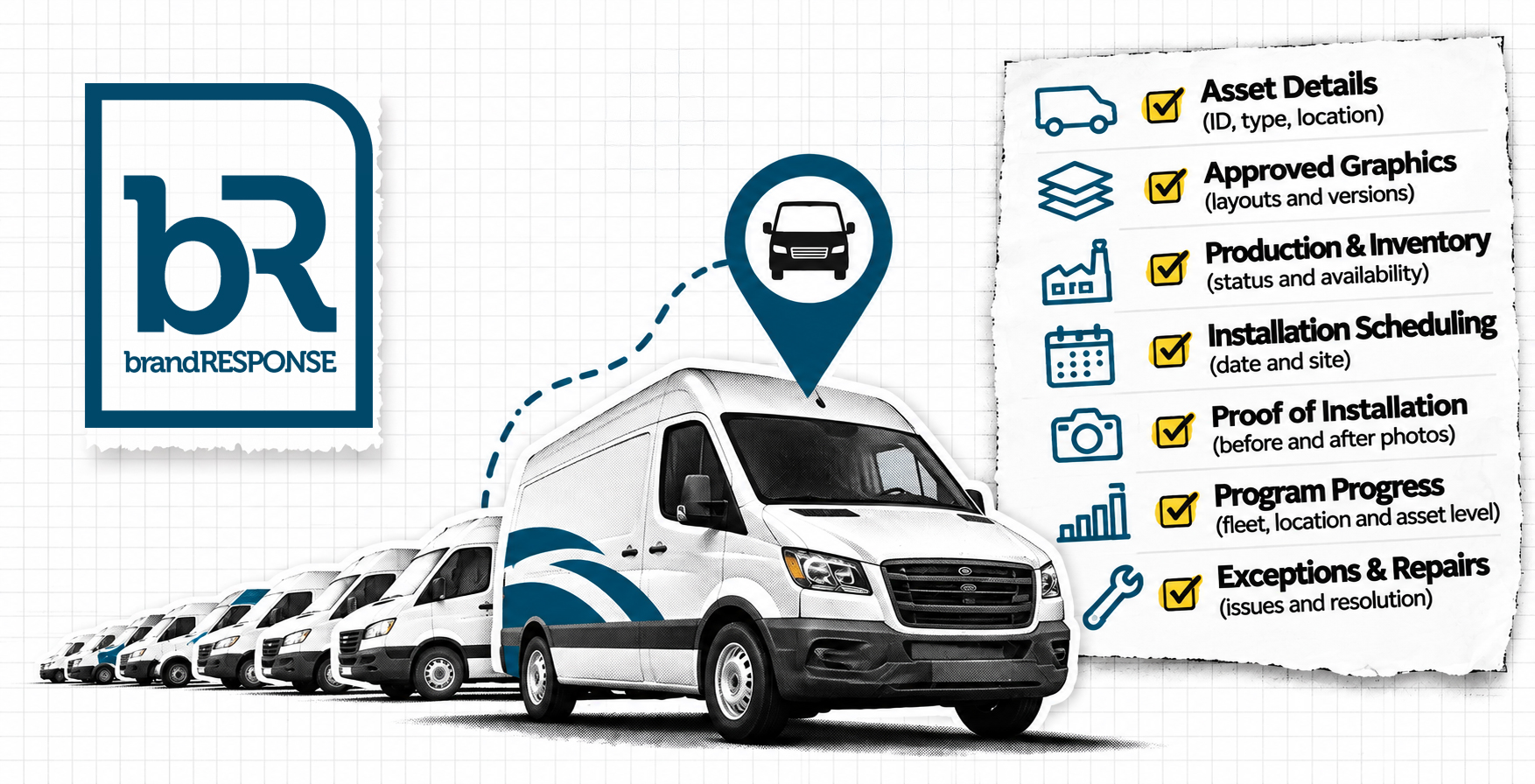
Managing 10,000 vehicles is one thing. Knowing exactly what’s happening with vehicle number 4,372 is another.
For companies managing large fleet branding programs, the challenge isn’t simply producing and installing graphics. It’s keeping track of thousands of individual assets, each with its own specifications, location, schedule and installation history.
A fleet rebrand may begin with one approved design, but what follows is an operation with thousands of moving parts.
The larger the fleet, the more important it becomes to see the details.
That’s where fleet graphics management software becomes valuable.
What Is Fleet Graphics Management Software?
Fleet graphics management software helps companies organize, monitor and document the branding of their commercial vehicles.
Unlike traditional fleet management software, which focuses on vehicle operations, maintenance or telematics, fleet graphics software focuses on the brand itself.
It helps answer questions such as:
- Which vehicles have received their graphics?
- What design belongs on each vehicle?
- Where are installations scheduled?
- Which vehicles are waiting for materials or installation?
- Can we verify that the correct graphics were installed?
- Which assets require repairs, replacements or additional attention?
For companies managing hundreds or thousands of vehicles across multiple locations, those answers are essential to keeping a national fleet branding program organized.
But not every platform provides the same level of visibility.
Here are eight things worth tracking.
1. Every Vehicle. Not Just the Fleet Total.
A report showing that 85% of a fleet rebrand is complete sounds reassuring.
Until someone asks about one specific vehicle.
Every asset should have an identifiable record that connects it to the correct branding requirements and installation history.
What to track:
- Vehicle identification number (VIN) or unit number
- Vehicle type, make and model
- Geographic location or assigned facility
- Applicable branding specifications
- Installation status and history
The goal is to move from the entire fleet to an individual vehicle without losing the information that matters.
Because a fleet of 10,000 is still 10,000 individual responsibilities.
2. The Correct Graphics for Each Vehicle
A brand may have one identity, but its fleet rarely comes in one shape or size.
A cargo van, straight truck and 53-foot trailer require different graphic layouts. Even vehicles within the same class can have variations that affect placement and production.
Fleet branding software should connect each asset with the appropriate approved graphic specifications.
That means maintaining visibility into:
- Approved designs and revisions
- Vehicle-specific graphic layouts
- Required graphic sizes and configurations
- Applicable campaign or branding version
This information helps prevent one of the most expensive mistakes in fleet branding: producing the wrong graphics for the right vehicle.
Consistency isn’t making every vehicle identical. It’s making every vehicle belong.
3. Production, Inventory and Shipping Status
A perfectly printed graphic is only useful if it arrives where it’s needed.
Large fleet graphics programs depend on coordination between manufacturing, inventory, fulfillment and installation.
A strong management process should make it possible to establish which graphics have been produced, where the materials are needed and whether they are ready for their scheduled installation.
Consider tracking:
- Production and order status
- Graphics allocated to each vehicle or location
- Inventory availability
- Shipment and delivery status
- Outstanding material requirements
When these details are disconnected, the effects can travel through an entire program.
An installer without the correct graphics is more than a scheduling inconvenience. It can mean additional labor, another appointment and more time managing the same vehicle.
4. Installation Schedules and Vehicle Availability
Your trucks have better things to do than wait for graphics.
They’re meant to move products, serve customers and keep business moving.
That’s why fleet graphics installation tracking must account for more than an installer’s availability.
A useful program record should connect the vehicle, installation location, scheduled date and responsible team. Ideally, it should also capture rescheduling needs and operational constraints.
For national fleet programs, this coordination becomes particularly important when installations occur at distribution centers, dealerships, upfitters and operating facilities.
The installation should work around the fleet. Not the other way around.
5. Rollout Progress at Every Level
Fleet graphics management requires two different perspectives.
The first is the big picture: How much of the program is complete?
The second is the individual asset: What exactly has happened with this vehicle?
A useful fleet graphics dashboard should support both.
At the program level, teams should be able to review performance by location, vehicle type or project phase. At the vehicle level, they should be able to investigate outstanding work.
Useful measures include:
- Total vehicles in scope
- Completed installations
- Vehicles awaiting installation
- Rescheduled or delayed installations
- Outstanding exceptions
- Progress by location or region
These figures help marketing, operations and procurement work from a shared understanding of the program.
The big picture is only useful when the details behind it can be trusted.
6. Photographic Proof of Installation
There’s an important difference between being told a vehicle is finished and being able to see it.
A completed installation should have documentation that supports the work performed.
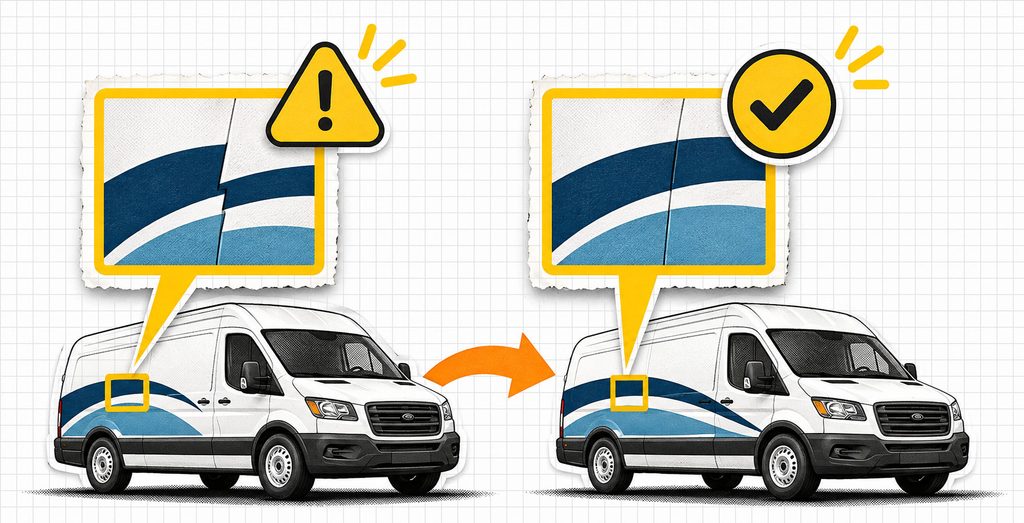
Before-and-after photographs are particularly valuable because they allow teams to verify graphic placement, review the finished appearance and maintain a visual record associated with the vehicle.
This becomes essential when a brand has thousands of vehicles spread across the country.
Marketing leaders cannot personally inspect every installation. Fleet managers cannot visit every operating location.
Photographic documentation allows them to review the work without being there.
Completion should come with evidence. Not just reassurance.

7. Exceptions, Repairs and Replacements
A fleet doesn’t remain finished.
Vehicles are added, transferred and retired. Graphics are damaged. Branding changes. Occasionally, an installation needs additional attention.
A fleet graphics management process should account for what happens after the initial rollout.
That includes documenting outstanding issues, identifying the affected assets and tracking the follow-up work required.
The information can also help teams determine whether recurring issues involve particular vehicle configurations, materials or installation conditions.
Over time, this creates something more valuable than a record of completed projects.
It creates a history of the fleet’s branding.
8. Reports That Answer Business Questions
Different stakeholders need different answers.
Marketing wants to know whether the brand is being executed consistently.
Fleet operations wants to know which vehicles need to be available and when they’ll return to service.
Procurement wants visibility into performance, outstanding work and program accountability.
A useful reporting system should make relevant information accessible without requiring teams to reconcile multiple spreadsheets or chase updates from different suppliers.
The questions may differ.
The information should tell one consistent story.
What Does This Look Like in a Real Fleet Rebrand?
Consider Signature Graphics’ work supporting the BrightView brand conversion.
The program involved more than 10,000 assets, over 1,000 branding designs and 479 locations, with a 180-day implementation timeline.
Managing an operation of that scale required more than production and installation expertise.
Signature used its proprietary brandRESPONSE platform to report daily progress, make information accessible to the client’s leadership and provide visibility down to individual units.
The result was a more manageable process for a highly complex national conversion.
Read more about Signature’s BrightView brandRESPONSE experience.
How brandRESPONSE Helps Manage Fleet Graphics at Scale
At Signature Graphics, we developed brandRESPONSE to connect the information behind large fleet branding programs.
The platform supports asset-level branding records, installation tracking, program progress reporting and before-and-after photographic documentation.
Rather than relying solely on broad completion percentages, clients can review the status of an entire program and examine details associated with individual vehicles.
That visibility supports the people responsible for both the brand and the operation.
And because brandRESPONSE is part of Signature’s broader fleet graphics offering, the technology works alongside the teams coordinating production, logistics and installation.
It isn’t simply about collecting information.
It’s about making the information useful while the work is happening.
What Should You Look for in Fleet Graphics Management Software?
Before selecting a fleet graphics management solution, consider five questions:
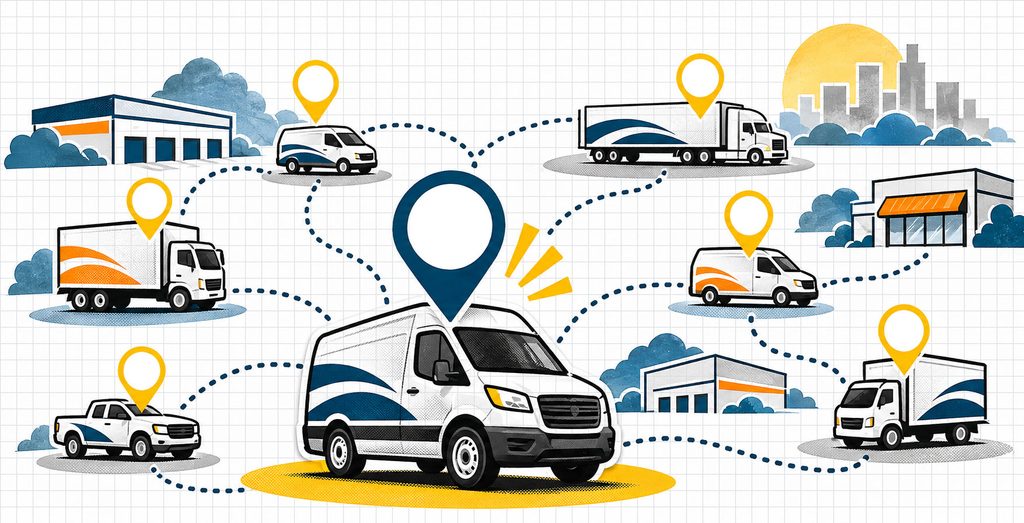
- Can we identify the correct graphics for any vehicle in our fleet? Asset-level accuracy matters when vehicles have different configurations.
- Can we see installation progress by vehicle and location? A fleetwide percentage should not be the only measure of completion.
- Can we verify finished installations with photographs? Documentation provides valuable quality-control evidence.
- Can we identify outstanding work before it creates larger problems? Visibility is most useful while there’s still time to act.
- Can the platform support changes throughout the life of the fleet? A branding program should account for new vehicles, repairs, replacements and future campaigns.
The right solution should make a complex program easier to understand, coordinate and verify.
Frequently Asked Questions
What is the difference between fleet management software and fleet graphics management software?
Traditional fleet management platforms typically focus on vehicle operations, maintenance, location or performance. Fleet graphics management software focuses on the branding applied to those vehicles, including approved graphics, installation progress and asset-level documentation.
Can fleet graphics software track individual vehicles?
Yes. Asset-level fleet graphics platforms can associate individual vehicles with their branding information, installation status and historical records. The available fields and reporting capabilities vary by provider.
Why are installation photos important for fleet branding?
Installation photos provide visual evidence that work was performed and help teams review whether graphics appear as intended. They also create a useful reference for future repairs or replacements.
Do companies need fleet graphics management software after a rebrand is finished?
For large or frequently changing fleets, continued tracking can be valuable. New vehicles, damaged graphics, replacement assets and future brand changes create ongoing work that benefits from reliable asset records.
The Difference Is Knowing.
A successful fleet graphics program involves thousands of individual decisions. Designs must be approved. Materials produced. Vehicles scheduled. Graphics installed. Results verified.
The graphics are what the world sees.
The coordination behind them is what makes the result possible.
At Signature Graphics, we believe you should have visibility into both.
Manage the entire fleet. Know every vehicle.
Discover brandRESPONSE and see how Signature manages fleet graphics programs.
We proudly use 3MTM graphic films and overlaminates.